DMG contrast wheel does nothing: the LCD bias supply
Symptom Screen is washed out or fully dark, and turning the contrast wheel has little or no effect on it.
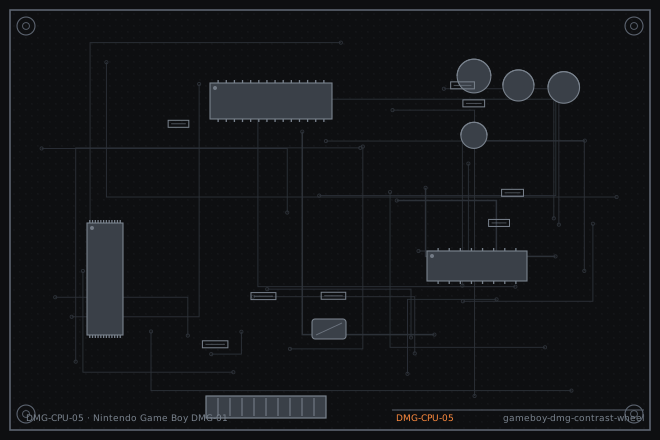
The contrast wheel on a DMG is not a brightness control. It is a variable resistor that sets the output of the LCD bias supply, which runs somewhere between about minus 15 and minus 21 volts. When the wheel stops working, either the potentiometer track is dirty or the bias supply has failed, and the two are easy to tell apart.
Washed out versus fully dark
A screen that is washed out with faint dark pixels means the bias voltage is too low in magnitude. A screen that is almost entirely dark with only a faint image means the bias has gone too far the other way. Both can come from the same failed potentiometer, because a broken wiper can read as a fixed value at either end of the range.
A screen that is completely blank with no image at any wheel position is a different fault and usually means the bias supply has stopped entirely.
Measuring the bias rail
The bias rail is a negative voltage, so measure it with the black probe on the test point and the red probe on ground, and read it as a positive number. Expect somewhere between 15 and 21 volts depending on the wheel position. This is the single measurement that separates the potentiometer from the supply.
If the bias rail moves smoothly as you turn the wheel through its whole range, the potentiometer is fine and the problem is elsewhere. If the rail jumps, sticks or does not move at all, the potentiometer is the fault.
- Power up with a cartridge and set the wheel to the middle of its travel.
- Measure the bias rail at its test point with the probes reversed as described. Record the value.
- Turn the wheel slowly from end to end while watching the meter. Note whether the voltage moves smoothly or in jumps.
- Measure the three potentiometer terminals directly. You should see a fixed resistance across the outer two and a smoothly varying resistance from the wiper to either end.
- If the rail is correct and stable but the screen is still dark, inspect the LCD ribbon bond before condemning the LCD.
- Check the two electrolytic capacitors in the bias circuit for bulging or leakage, since they set the supply's stability.
Cleaning the wiper or replacing the wheel
The potentiometer can often be saved. Apply a small amount of fader contact cleaner into the body through the gap beside the shaft and work the wheel through its full travel thirty times. Do not use a general purpose lubricant spray; the potentiometer track needs to stay dry enough to make contact.
If the track is worn through, replace the potentiometer. On a DMG it is mounted on the power board and is accessible without removing the main board. Take a photograph of the three wire colours before desoldering, because getting them in the wrong order will invert the wheel's direction and can drive the bias rail out of range.
- Apply fader contact cleaner to the potentiometer and work it through thirty full cycles.
- Blow out the residue with dry compressed air and let it dry for fifteen minutes.
- Re-measure the bias rail across the full range of the wheel. It should sweep smoothly from about minus 15 to minus 21 volts.
- If it still jumps, replace the potentiometer, matching the wire order to your photograph.
- Check and replace the two bias circuit electrolytics while the board is open. They are cheap and they are the next thing to fail.
- Test in a dim room at both ends of the wheel's travel and confirm the whole range is usable rather than only part of it.
Fault tree branches
where this symptom also leadsIf: The bias rail sweeps correctly but the screen has dead columns
The LCD ribbon bond has failed rather than the bias circuit.
Vertical line on a DMG screen: reflowing the LCD ribbonIf: The bias rail is correct and the LCD is clean, but the display is dim
Suspect the LCD itself or the polariser, not the supply.
Game Boy Pocket with a dead column: when the ribbon is not the problemIf: Turning the console on gives nothing at all, not even a dark screen
This is a power fault, not a bias fault. Work the battery path first.
Game Boy DMG that is dead on batteries but works on the DC jack