PlayStation controller port dead: the polyswitch that protects it
Symptom One controller port does nothing, or the memory card in one slot is not recognised, while the other port works normally.
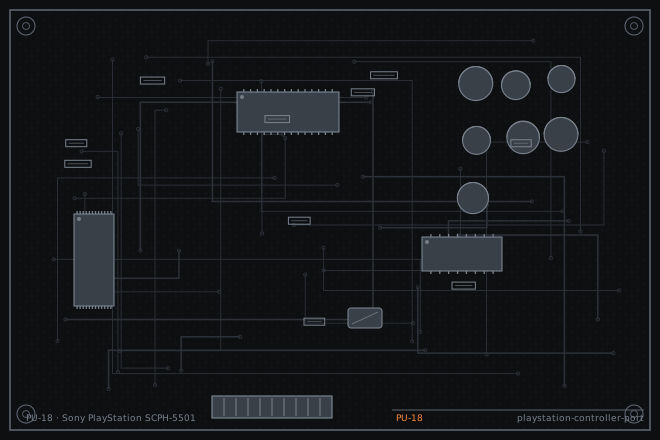
Sony protects each PlayStation controller and memory card port with a small resettable fuse on the main board. That part is doing its job when it opens, which means the port died because something drew too much current. Replacing the fuse without finding the cause is how a repaired console comes back a week later.
Why one port and not the other
The two controller ports share a single serial data line but have separate power and separate protection. So a fault in one port's protection does not affect the other, which is exactly what owners report: port two works perfectly and port one does nothing.
A port that has lost its 7.5 V supply will not power a controller at all, and a controller with an analogue stick or a rumble motor will be the first to fail because they draw the most current. A dead port plus a working port usually means the protection part is open rather than the data line being broken.
Finding out what opened the fuse
Test the port with the simplest controller you have. A basic digital pad draws very little; an analogue pad with a rumble motor draws several times more. If the basic pad works and the rumble pad does not, the port supply is current-limited and the protection part is on its way out.
Then find out why. The usual causes are a controller cable that has been pulled hard enough to damage the connector, a third-party controller with a shorted cable, or liquid getting into the port. All three leave visible evidence.
- Test both ports with a basic digital controller and with an analogue controller to see whether the fault is current-dependent.
- Measure the supply voltage at the port with a controller plugged in. Compare it with the working port.
- Check the protection part for continuity. An open part reads open on a meter.
- Inspect the port connector for bent pins or a pushed-in contact. Controller plugs that have been forced are common.
- Check the cable and connector of every controller the owner has been using. A shorted third-party controller will open the fuse again on the first power-up.
- Look for corrosion inside the port, which points at liquid damage rather than a bad controller.
Replacing the protection part and the port
Replace the open part with one of the same rating. These are small surface-mount parts and they are not interchangeable with a plain fuse; a resettable part has a specific hold current and trip current, and fitting a part with a higher hold current removes the protection that saved the console in the first place.
If the protection part opened because a controller shorted, replace the part and tell the owner which controller caused it. If it opened because of liquid damage, clean the port and the surrounding board with isopropyl alcohol and check for corroded traces before fitting anything.
- Replace the protection part with one of the same hold and trip current rating.
- For a damaged port connector, desolder it from the board and fit a replacement, working one pin at a time.
- Clean any corrosion with isopropyl alcohol and check the traces for continuity after cleaning.
- Test the port with a basic controller first, then an analogue controller, then a memory card.
- Check both ports after the repair, since they share a data line and a fault in one can affect the other.
- Test a memory card save and load cycle, which exercises the port harder than a controller does.
Fault tree branches
where this symptom also leadsIf: The port works but the memory card is not recognised
Check the memory card slot pins and its separate protection part.
Mega Drive controller port 1 dead: a ferrite bead and a worn DB9If: Both ports are dead
The shared serial line or the I/O chip is at fault, not the protection parts.
If: The console will not power on at all
A shorted controller can also take the main fuse. Check the PSU before the ports.
PlayStation completely dead: the mains fuse on the PSU board