PlayStation disc read errors: cleaning the lens before touching the pot
Symptom Console spins the disc, makes a few seeking noises and gives up; audio CDs play but game discs do not; FMV stutters.
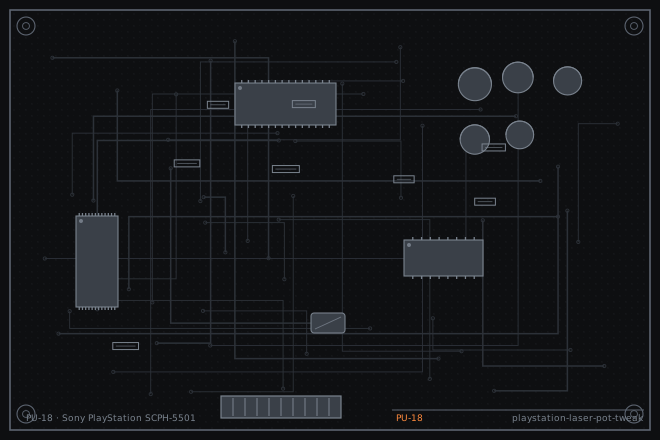
The laser power potentiometer on a PlayStation is the most abused adjustment in retro repair. Turning it down increases the laser current, which makes a weak laser read again for a few months and then kills it permanently. This dossier covers the order of work that avoids destroying a laser you could have saved.
Where the fault usually is not
A PlayStation that reads audio CDs but not game discs is not usually a laser power problem. Game discs carry more data in a tighter spiral and need the tracking servo to work harder, so that pattern points at the tracking and focus servo, the spindle height, or a dirty lens rather than at laser output.
A console that will not spin the disc at all is not a laser problem either. Check the lid switch and the spindle motor before you open the optical pickup.
The pot is the last thing to touch, not the first. On a well-treated SCPH-5501 the pot still has its factory paint mark and that mark is worth preserving.
The order of work that saves lasers
Work in this order and stop as soon as the console reads reliably: clean, then check the mechanics, then measure, then adjust. Most consoles that arrive at the bench with read errors need the first two steps only.
If you do get to the adjustment, mark the pot's current position with a paint pen before moving it, and keep a written record of the resistance at each step. Without that record you cannot go back, and a laser that is adjusted blind is a laser that is lost.
- Clean the lens with a dry foam swab in a circular motion. Do not use alcohol on the lens; it can cloud the plastic. Test after cleaning.
- Check the spindle height and the disc clamp. A disc that is not sitting flat will produce read errors that look like a weak laser.
- Check the lid switch and the sled movement by hand. The sled should move freely along its rails without catching.
- If read errors persist, measure the laser power potentiometer in circuit and write the value down. Typical readings on a healthy KSM-440 series are around 1.2 to 1.5 kilohms.
- Adjust in 100 ohm steps only, testing after each step. Stop at the first value that reads reliably rather than continuing to improve it.
Adjusting with a limit
The adjustment reduces the resistance in series with the laser diode, which raises the drive current. Every step shortens the diode's life. Set a hard floor before you start, somewhere around 800 ohms for this pickup, and stop when you reach it whether or not the console reads.
A laser that will not read at 800 ohms is a laser that needs replacing, not a laser that needs more current. Fitting a new KSM-440AEM or a compatible replacement is a twenty-minute job with the drive out of the shell, and it is the honest repair rather than a temporary one.
- Mark the pot's current position with paint so you can return to it.
- Turn the pot 100 ohms toward lower resistance and test with a disc you know is clean and unscratched.
- Repeat in 100 ohm steps, noting the value that first reads reliably.
- Stop when the console reads, or when you reach 800 ohms, whichever comes first.
- If you reach 800 ohms without success, restore the pot to its original value and replace the optical pickup.
- After any successful adjustment, test for thirty minutes of continuous play and check that the drive does not get hot.
Fault tree branches
where this symptom also leadsIf: The disc never spins up at all
This is not a laser fault. Check the lid switch and the spindle motor first.
If: The disc spins but the console reports no disc within a few seconds
The spindle height or the disc clamp is the next thing to check.
PlayStation disc spins and stops: spindle height, clamp and motorIf: The console is completely dead with no power LED
Check the power supply and its fuse before anything optical.
PlayStation completely dead: the mains fuse on the PSU board