Mega Drive Model 1 audio buzz: the ground return through the AV cable
Symptom Constant buzz under all audio that gets louder with the volume, worse on bright screens, and disappears when the console is touched.
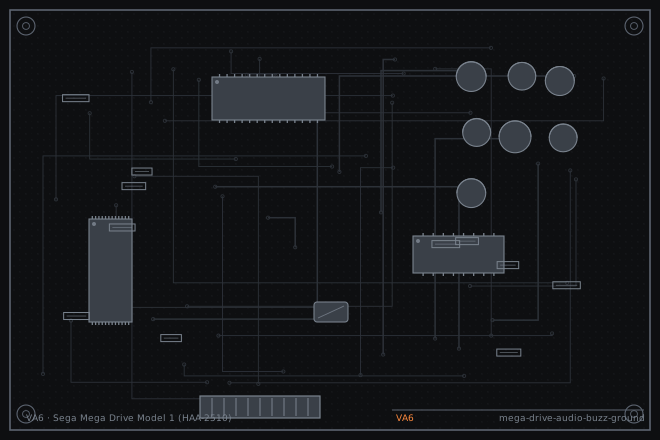
The Model 1 is famous for a buzz that is not a capacitor fault. It comes from the way the audio and video grounds share a return through the AV cable. On the VA6 revision this is made worse by the video encoder ground being separated from the audio ground on the board, so the return current finds a path through the cable shield instead.
Why the buzz changes with the picture
A buzz that gets louder on bright screens is video-derived, not mains-derived. The video encoder is drawing more current on bright content and that current is sharing a return path with the audio. A steady 50 or 60 Hz hum with no relationship to the picture is a different, simpler fault in the power supply.
The touch test is diagnostic: if putting a hand on the console shell or the metal shield changes the buzz, the fault is a grounding problem rather than a component problem. Test with the console connected to the same mains outlet as the TV; a ground loop between two outlets can produce the same symptom and is not a console fault at all.
Separating video buzz from ground loop
First plug the console and the TV into the same power strip. If the buzz goes away, nothing is wrong with the console. This costs nothing and it is the single most commonly missed cause.
Then check the AV cable itself. A cable with a thin shield, or a cable where the shield is connected only at one end, will buzz on a Model 1 where the same cable is quiet on a Model 2. Swap the cable before opening anything.
- Plug the console and the display into the same power strip and listen again.
- Swap to a known-good AV cable with a thick shield and listen again.
- Open the console and inspect the ground connections around the AV socket and the video encoder can. Look for a cracked joint on a ground pin.
- Measure the resistance from the AV socket ground pin to the video encoder ground. It should be under 0.2 ohms. Anything higher means the return is finding another path.
- Check the electrolytic capacitors around the audio amplifier for bulging, and replace any that read more than twice their marked ESR.
Fixing the return path
The standard fix on a VA6 is to add a heavy ground wire from the video encoder shield can to the AV socket ground pin, so the video return current stops using the audio ground. Use 0.5 mm wire, keep it as short as possible, and solder it to both points with a good fillet.
If the buzz is still present after that, replace the audio amplifier decoupling capacitors. They are small electrolytics near the amp and they set the amplifier's rejection of supply noise. Use 105 °C parts and match the capacitance.
- Add a short 0.5 mm ground wire from the encoder shield to the AV socket ground pin.
- Reflow the AV socket ground pins while the console is open, since a partial crack here produces the same buzz.
- Replace the amplifier decoupling electrolytics if they measure high ESR.
- Reassemble and test with the same cable and the same power strip for a fair comparison.
- Test on a bright game screen and a dark one. The buzz should be the same on both after the fix.
- If the buzz is still there with everything grounded, the fault is in the audio mixing stage, not the ground.
Fault tree branches
where this symptom also leadsIf: The buzz is present only when the AV cable is moved
The socket ground joint is cracked. Reflow the socket rather than adding a wire.
Mega Drive Model 1 with no picture: cracked joints on the DIN AV socketIf: The buzz is a steady low hum unrelated to the picture
Check the power supply filter capacitors, not the ground path.
If: The buzz is present on a different console with the same cable
The cable is the problem. Replace it before working on the console.