Mega Drive power cuts out when the plug is touched: the DC jack joints
Symptom Console only runs when the power plug is held at an angle, resets when the console is moved, or needs the plug wiggled before the LED lights.
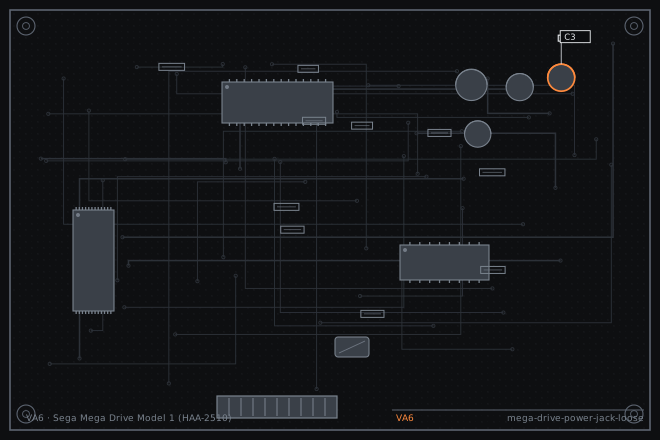
The DC jack on a Model 1 takes the same abuse as the AV socket and fails the same way: the solder joints crack where the pin meets the pad. The difference is that a failed power joint is far more dangerous, because an intermittent contact on a 1.2 A supply will arc and can eventually take the whole board with it.
Why this one should not be left alone
An intermittent power joint is not just an annoyance. Every time the contact opens under load, the console sees a fast rise in supply voltage as the adapter's regulation recovers, and every time it closes there is a small arc. Over months that arc erodes both the pin and the pad.
The Model 1 draws around 1.2 A at 9 to 10 V, which is much more than a Game Boy or a Famicom. That current is what makes the joint fail in the first place and what makes the arc damaging when it does.
Confirming the joint, not the adapter
Test with a known-good adapter first. Model 1 Mega Drives need a 9 to 10 V supply at 1.2 A with a centre-negative 5.5 x 2.1 mm tip. A generic 9 V 500 mA adapter will sag and produce symptoms that look exactly like a cracked joint.
Then flex the plug at the console while watching the power LED. If the LED goes out in one specific position, the joint has cracked. You can usually see the crack as a ring around the pin once the shell is open.
- Test with a known-good adapter rated at 1.2 A or more and confirm the console is stable.
- Flex the plug at the jack while watching the LED and note the position that kills it.
- Open the shell and inspect the three jack pins from the solder side at 10x. Look for a dark ring at the pad boundary.
- Press the jack body down from the component side and watch for movement in any of the three joints.
- Check the input diode and the first filter capacitor for heat damage, which is a sign the console has been run with a failing joint for a long time.
Reflow, and add mechanical support
Reflow all three pins with fresh solder while holding the jack flat against the board. Do not stop at the pin that looks cracked; if one has failed, the other two have been sharing the load and are usually on their way.
If the jack body is loose in the shell, add a small amount of neutral-cure silicone between the jack body and the board edge as a strain relief. Do not use cyanoacrylate: it is brittle, it will crack under the same load, and its fumes will fog nearby plastic.
- Apply flux and fresh solder to all three jack pins, holding the jack flat while the solder is molten.
- Check at 10x that each joint is a smooth fillet with no ring.
- Inspect the input diode and the first filter capacitor and replace them if they show heat discolouration.
- Add neutral-cure silicone between the jack body and the board as a strain relief if the jack moves in the shell.
- Reassemble and flex the plug in every direction with the console running. The LED should hold.
- Run the console for twenty minutes and check the jack temperature. A warm jack means a joint is still resistive.
Fault tree branches
where this symptom also leadsIf: Reflowing the jack does not stop the dropouts
The jack contacts themselves are worn. Replace the jack rather than reflowing a third time.
Mega Drive Model 1 with no picture: cracked joints on the DIN AV socketIf: Power is stable but there is a buzz on the audio at all times
The input filter capacitor has dried out from running hot. Replace it.
Mega Drive Model 1 audio buzz: the ground return through the AV cableIf: The console is completely dead with no LED at all
Check the fuse and the regulator, which are downstream of the jack.
Famicom HVC-001 dead on the bench: blown fuse and a tired 7805